
1. Introduction to Kheloyaar Account Verification (KYC 2026)
In 2026, online gaming platforms are more advanced, regulated, and security-focused than ever before—and Kheloyaar is no exception. If you’re planning to play, deposit, or withdraw money smoothly, completing Kheloyaar Account Verification is no longer optional—it’s essential. This guide is designed to help you understand what Kheloyaar KYC is, why it matters, and how it protects you as a user, especially if you’re a beginner or intermediate player.
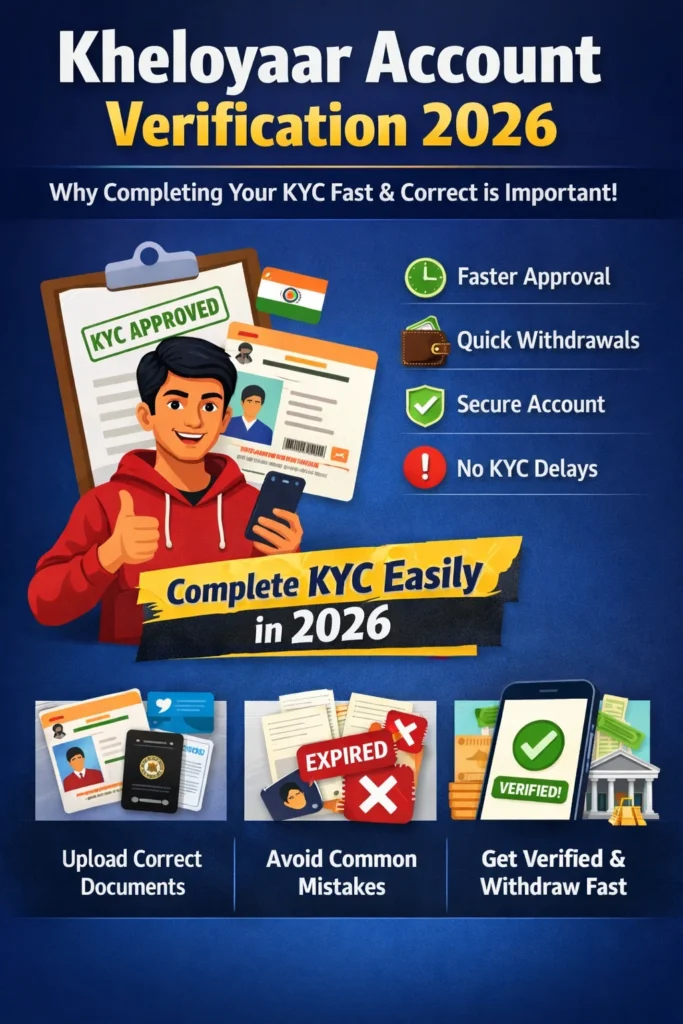
Kheloyaar Account Verification, also known as KYC (Know Your Customer), is a one-time identity verification process where users submit basic personal and document details to confirm they are real and eligible players. In 2026, Kheloyaar has optimized this process to be faster, more secure, and fully digital, reducing delays and minimizing errors that users faced in earlier years.
Whether you’re creating a new account or already playing on Kheloyaar, understanding the verification process early can save you from common issues like:
- Withdrawal delays
- Account restrictions
- Temporary freezes
- Rejected payout requests
Why This Guide Matters in 2026
With increasing online fraud, fake IDs, and duplicate accounts across gaming platforms, Kheloyaar has strengthened its verification rules in 2026. These updates are not meant to complicate things—but to protect genuine users.
Many players skip reading verification guidelines and rush through the process, only to face problems later. This guide solves that problem by breaking everything down in simple English, with practical explanations and real-life examples.
By the end of this guide, you’ll clearly understand:
- What Kheloyaar Account Verification actually involves
- When and why KYC is required
- How early verification benefits you
- What happens if you ignore or delay KYC
What Is Kheloyaar Account Verification?
Kheloyaar Account Verification is the process of confirming that:
- You are a real person
- Your personal details are accurate
- Your account complies with platform policies
- Your financial transactions are secure
The process usually includes:
- Identity verification (name, DOB)
- Address confirmation
- Mobile number verification
- Sometimes PAN or Aadhaar validation (as per 2026 compliance standards)
Once verified, your account is marked as KYC Approved, unlocking all platform features.
Real-Life Example (Why Early KYC Helps)
Imagine this scenario:
Rahul joins Kheloyaar, starts playing, and wins a good amount. When he tries to withdraw his winnings, his request gets put on hold because his KYC is incomplete. He then rushes to upload documents, but one image is unclear—causing further delays.
Now compare that with:
Aman completes his Kheloyaar Account Verification right after registration. When he wins, his withdrawal is processed smoothly without any interruption.
The difference? Early verification.
Is Kheloyaar KYC Safe?
This is one of the most common concerns—and a valid one.
In 2026, Kheloyaar uses:
- Encrypted data transmission
- Secure document storage
- Limited-access verification systems
Your documents are used only for verification purposes and are not shared with third parties without legal necessity. This makes Kheloyaar Account Verification not just mandatory—but also safe and trustworthy.
Who Should Complete KYC Immediately?
You should complete Kheloyaar Account Verification as soon as possible if:
- You plan to deposit or withdraw money
- You want uninterrupted gameplay
- You want long-term account safety
- You wish to avoid last-minute verification stress
Even if you’re just exploring the platform, early verification ensures you’re fully prepared when you decide to play seriously.
2. Why KYC Verification Matters on Kheloyaar
In 2026, online gaming platforms are operating under stricter security, compliance, and user-protection standards than ever before. This is exactly why Kheloyaar Account Verification plays a critical role—not just for the platform, but for you as a player. Many users see KYC as a “formality,” but in reality, it is the foundation of a safe, fair, and transparent gaming ecosystem.
Let’s break down why KYC verification matters on Kheloyaar and how it directly impacts your experience.
What Is the Main Purpose of KYC on Kheloyaar?
The primary goal of KYC (Know Your Customer) is to verify the identity of every user and ensure that only genuine players are allowed to participate.
On Kheloyaar, KYC helps to:
- Prevent fake or duplicate accounts
- Stop fraud and money misuse
- Ensure legal and age compliance
- Protect genuine users’ winnings
- Enable fast and smooth withdrawals
Without proper verification, platforms face risks—and so do players.
1. Prevents Fraud & Fake Accounts
One of the biggest problems in online gaming is fake IDs and multiple accounts created to exploit bonuses or manipulate games.
Kheloyaar Account Verification ensures:
- One real person = one real account
- No identity misuse
- No account farming or cheating
Why this matters to you:
When fake users are removed, the platform becomes fairer, safer, and more reliable for genuine players like you.
2. Mandatory for Withdrawals (No KYC = No Payout)
This is the most important reason players complete KYC.
In 2026, Kheloyaar does not process withdrawals from unverified accounts. Even if you win big, your money can get stuck if KYC is incomplete.
With completed Kheloyaar Account Verification:
- Withdrawals are processed faster
- No last-minute document requests
- No payout holds or rejections
Pro Tip:
Players who complete KYC immediately after registration face zero withdrawal delays later.
3. Legal & Compliance Requirements (2026 Standards)
Online gaming platforms must follow strict financial and identity regulations. KYC is not optional—it’s a legal requirement.
Kheloyaar follows:
- Age verification rules (18+)
- Financial compliance norms
- Anti-money laundering (AML) guidelines
By completing KYC, you are confirming that:
- You are eligible to play
- Your transactions are legitimate
- Your account complies with platform policies
This protects both your account and the platform’s legal standing.
4. Protects Your Account from Suspensions
Many accounts get:
- Temporarily restricted
- Flagged for review
- Suspended during withdrawals
The most common reason? Incomplete or mismatched KYC details.
Kheloyaar Account Verification helps avoid:
- Sudden account freezes
- Verification emails during urgent withdrawals
- Stressful document re-uploads
Once verified, your account becomes stable and trusted.
5. Enhances Overall Account Security
KYC isn’t just about documents—it’s about ownership confirmation.
If someone tries to:
- Access your account
- Change bank details
- Raise false claims
Your verified KYC details act as proof that you are the rightful owner.
This means:
- Better protection against hacking
- Faster support resolution
- Stronger account recovery
Real-Life Example: Verified vs Unverified User
Unverified User:
Rohit plays regularly but skips KYC. When he wins and requests withdrawal, his account is put on hold. He uploads documents in a hurry, one image is unclear, and approval gets delayed for days.
Verified User:
Sameer completes Kheloyaar Account Verification right after signing up. When he withdraws his winnings, the amount is processed smoothly without any questions.
Lesson: Early KYC = Stress-free experience.
Is KYC Mandatory for All Kheloyaar Users?
Yes. In 2026:
- Playing casually may not require immediate KYC
- Deposits and withdrawals always require verification
- High-value transactions trigger mandatory KYC checks
So even if you’re just testing the platform, completing verification early is the smartest move.
Key Takeaway
Kheloyaar Account Verification is not a hurdle—it’s a benefit.
It ensures:
- Faster withdrawals
- Strong account security
- Legal safety
- Fair gameplay
- Long-term account trust
3. Types of Kheloyaar Accounts & Their Verification Requirements
Before starting the KYC process, it’s important to understand that not all Kheloyaar users interact with the platform in the same way. Different users have different activity levels—some only explore, some play casually, while others actively deposit and withdraw money. Because of this, Kheloyaar Account Verification requirements vary depending on the type of account usage.
In this section, we’ll clearly explain the types of Kheloyaar accounts, what features they unlock, and how much verification is required for each in 2026.
Why Account Type Matters for KYC
Many users get confused when their withdrawal gets stuck or their account is limited. The reason is simple:
👉 Their account activity crossed a verification threshold.
KYC on Kheloyaar works in levels, and each level is tied to how you use your account.
Understanding this early helps you:
- Avoid sudden verification blocks
- Prepare documents in advance
- Choose the right account usage strategy
1. Basic / Unverified Account
This is the account status right after registration.
Who falls under this category?
- New users
- Players who haven’t uploaded any documents
- Users only browsing or exploring features
What you can do:
- Create an account
- Browse games and features
- Sometimes play free or demo games
Limitations:
- No withdrawals allowed
- Limited deposit options
- Account can be restricted anytime
KYC Requirement:
❌ Not completed
⚠️ Important:
Many users think they can withdraw later without issues—but once you try, KYC becomes mandatory instantly.
2. Partially Verified Account
This stage applies when a user has submitted basic details but not full documentation.
Who falls under this category?
- Users who verified mobile number
- Users who added personal details (name, DOB)
- Users who uploaded only one document
What you can do:
- Deposit small amounts
- Play paid games
- Use most platform features
Limitations:
- Withdrawals may be delayed
- Higher transactions can trigger manual review
- Account can be temporarily held
KYC Requirement:
⚠️ Incomplete (Partial)
Best Practice:
This is the stage where many users get stuck. Completing full KYC here avoids future stress.
3. Fully Verified Account (Recommended)
This is the ideal and safest account status for all serious players.
Who falls under this category?
- Users who submitted valid ID proof
- Address verified users
- Accounts approved by KYC team
What you can do:
- Deposit and withdraw without restrictions
- Access all games and features
- Enjoy faster payouts
- Avoid account reviews
KYC Requirement:
✅ Fully completed and approved
Why this matters:
A fully verified account is marked as trusted, which means:
- No last-minute document requests
- Priority withdrawal processing
- Higher transaction limits
4. High-Value / Frequent Player Accounts
In 2026, users with high activity may go through enhanced verification.
Who falls under this category?
- High deposit users
- Frequent withdrawal players
- Users with large winning amounts
Additional verification may include:
- Extra document checks
- Bank account confirmation
- Name matching across records
Why enhanced KYC exists:
- To prevent misuse
- To ensure financial compliance
- To protect large transactions
🔐 This process is normal and applies only to selected accounts.
Verification Levels at a Glance
| Account Type | Can Withdraw? | Risk of Delay | Recommended |
|---|---|---|---|
| Unverified | ❌ No | Very High | ❌ No |
| Partially Verified | ⚠️ Limited | Medium | ⚠️ Not Ideal |
| Fully Verified | ✅ Yes | Very Low | ✅ Yes |
| High-Value Verified | ✅ Yes | Minimal | ✅ Yes |
Common Mistake Users Make
Many players delay full KYC thinking:
“I’ll verify when I need to withdraw.”
This often leads to:
- Panic during withdrawal
- Rejected documents
- Longer approval time
Smart users complete verification early and enjoy a smooth experience later.
4. Documents Required for Fast Kheloyaar KYC Approval
To complete Kheloyaar Account Verification quickly and without rejection in 2026, submitting the correct documents in the proper format is extremely important. Most KYC delays happen not because of strict rules, but due to simple mistakes like unclear photos, mismatched details, or outdated documents. This section will help you understand exactly what documents Kheloyaar requires and how to submit them correctly the first time.
Mandatory Documents for Kheloyaar KYC
For a fully verified Kheloyaar account, users must submit documents from the following three categories. Each document helps confirm your identity, address, and payment ownership.
Identity Proof (Any One Required)
You can use any one of the following government-issued ID proofs:
- Aadhaar Card
- PAN Card
- Driving License
- Voter ID
- Passport
Among these, Aadhaar and PAN are the most commonly accepted and usually result in faster approval, as the system can easily verify and match details digitally.
Address Proof (Any One Required)
Your address proof must match the address you entered during Kheloyaar registration. Accepted address proofs include:
- Aadhaar Card
- Driving License
- Passport
- Voter ID
- Bank Statement (issued within the last 3 months)
- Utility Bills such as electricity, water, or gas (not older than 3 months)
Using outdated bills or documents with faded text can lead to verification failure, so always upload recent and clearly readable documents.
Bank Verification Document
Bank verification is mandatory to enable withdrawals. You can submit any one of the following:
- Cancelled cheque with your name printed
- Bank passbook (front page)
- Recent bank statement showing account holder name
- Screenshot from mobile banking app (only if clearly visible and accepted)
Make sure the bank account holder’s name exactly matches the name on your identity proof. Even a small spelling difference can delay approval.
Additional Verification (If Requested)
In certain cases, especially for high-value transactions or frequent withdrawals, Kheloyaar may ask for additional verification such as:
- A live selfie or photo verification
- Additional ID confirmation
- Bank ownership confirmation
This is a standard security measure and does not mean there is an issue with your account.
Image Quality Guidelines (Very Important)
To avoid rejection, follow these image upload rules:
- Take photos in good lighting
- Ensure all corners of the document are visible
- Avoid glare, shadows, or blur
- Do not edit, crop, or enhance images
- Upload files in JPG, PNG, or PDF format
Uploading edited or low-quality images is one of the most common reasons for KYC rejection.
Common Reasons for KYC Rejection
Some of the most frequent mistakes users make include:
- Name mismatch between ID and bank account
- Blurry or unclear document photos
- Partial or cropped documents
- Expired identity proof
- Incorrect address details
- Uploading photocopies instead of original documents
Avoiding these errors can significantly speed up your Kheloyaar Account Verification.
Real-Life Example
An unverified user uploads a blurred Aadhaar photo with cut edges, causing rejection. Another user uploads a clear, well-lit image with complete details and gets approval within minutes. The difference is not luck—it’s document clarity and accuracy.
Key Takeaway
If you want fast and hassle-free Kheloyaar Account Verification, prepare your documents carefully before uploading. Clear images, matching details, and updated documents ensure your KYC is approved smoothly without delays.
5. How to Complete Kheloyaar Account Verification Step-by-Step
Completing your Kheloyaar Account Verification in 2026 is a quick and secure process—provided you follow the correct steps and upload the right documents. Many users face delays only because they miss one small step during verification. This section simplifies everything with a clear, beginner-friendly process to help you complete your KYC smoothly.
Step 1: Log In to Your Kheloyaar Account
Start by visiting the official Kheloyaar website and logging in using:
- Your registered mobile number
- OTP verification
- Or your username/password (if applicable)
Once you’re logged in, you’ll see a notification or banner prompting you to complete your Kheloyaar KYC Verification.
Tip: Always use your own device for KYC to avoid security issues.
Step 2: Go to the Account or Profile Section
Inside your dashboard, navigate to:
Menu → Profile → Account Verification / KYC
This is where you can update personal details and upload documents.
If your account is only partially verified, Kheloyaar will show you what steps are pending.
Step 3: Enter Your Personal Details
You will need to enter the following:
- Full Name (as per your ID)
- Date of Birth
- Gender
- Address
- Pincode
- State & City
Make sure the details match your ID proof exactly. Even small spelling errors or outdated addresses can cause rejection.
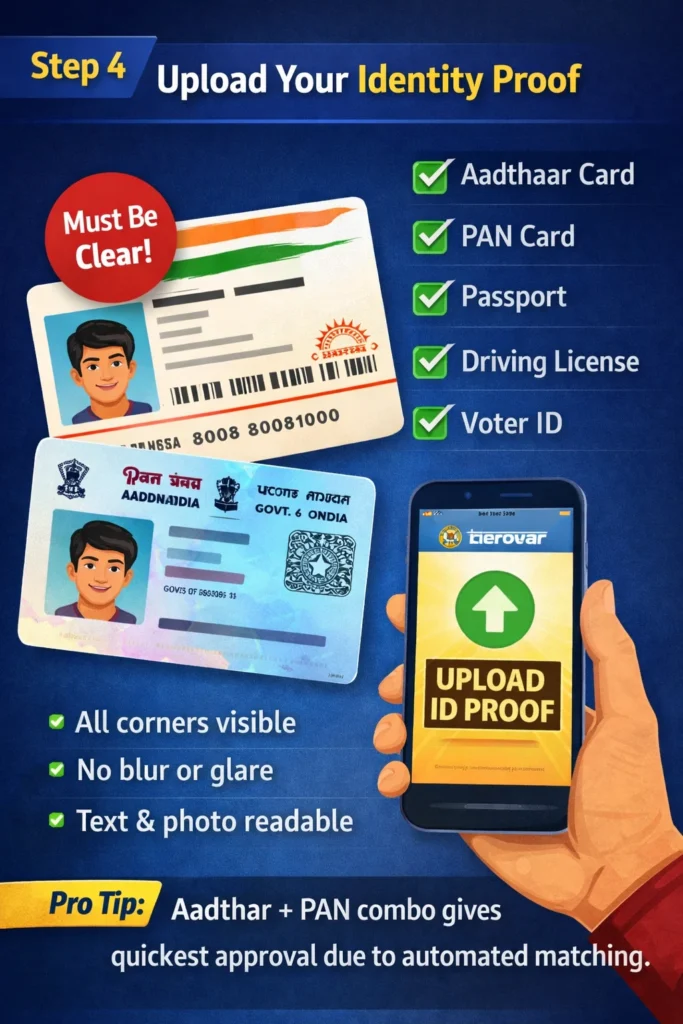
Step 4: Upload Your Identity Proof
You will be asked to upload one ID from:
- Aadhaar Card
- PAN Card
- Passport
- Driving License
- Voter ID
When uploading:
- Ensure the image is clear
- All corners are visible
- No blur or glare
- Text and photo clearly readable
Pro Tip: Aadhaar + PAN combination gives the quickest approval due to automated matching.
Step 5: Upload Your Address Proof
Select one valid document from:
- Aadhaar Card
- Passport
- Driving License
- Recent Bank Statement (last 3 months)
- Utility Bills (electricity, water, or gas – within 3 months)
Your address must match exactly with the one you entered earlier.
Step 6: Complete Bank Verification
To activate withdrawals, provide one of the following:
- Bank Passbook (first page)
- Cancelled Cheque
- Mobile Banking Profile Screenshot
- Bank Statement with your full name
Check that the account holder’s name matches your ID.
Mismatch = Delay.
Step 7: Submit the KYC Application
Once all documents are uploaded:
- Review your details
- Check image clarity
- Confirm submission
You will receive an “Under Review” status notification.
Most verifications in 2026 are approved within 10–30 minutes, unless additional checks are required.
Step 8: Complete Additional Verification (If Requested)
If the system needs further confirmation, you may be asked to:
- Upload a selfie
- Record a short live photo
- Verify your number again
This is normal and ensures your account remains secure.
Step 9: Receive KYC Approval Notification
Once approved, you’ll get:
- An in-app notification
- SMS update
- Email confirmation
Your account status will change from Unverified / Partial to Fully Verified.
This unlocks:
- Instant deposits
- Fast withdrawals
- Reduced restrictions
- Full platform access
Real-Life Example (Smooth Verification Path)
Let’s compare two users:
User A:
Uploads all documents clearly, uses the same name across ID and bank, and completes verification in one go.
✔ Gets verified in minutes
✔ No withdrawal delays
User B:
Uploads blur photos, mismatches address, and uses a bank account in a different name.
❌ Verification put on hold
❌ Additional checks required
❌ Withdrawal delayed
The smart approach always wins.
Key Takeaway
Completing Kheloyaar Account Verification is easy if you follow the steps in order, use clear documents, and make sure all details match perfectly. Early KYC ensures:
Zero account interruptions
No payout issues
Strong security
Smooth gaming experience
6. Common KYC Issues & How to Fix Them Quickly
Even though Kheloyaar has a smooth verification system, many users still face delays due to avoidable mistakes. The good news? Every issue has a simple and quick solution. This section explains the most common Kheloyaar Account Verification problems and how you can fix them instantly to get fast approval in 2026.
1. Document Blurry or Not Clear
This is the #1 reason for KYC rejection.
Why it happens:
- Poor lighting
- Shaky camera
- Document edges missing
- Glare on plastic cards (Aadhaar, DL)
How to fix quickly:
- Take the photo in natural daylight
- Hold your phone steady
- Ensure all four corners are visible
- Avoid camera flash if it creates glare
Pro Tip:
Place the document on a dark surface for maximum clarity.
2. Name Mismatch Between ID and Bank Account
Another common issue is when names differ slightly, such as:
- “Rohit Kumar” vs “Rohit K.”
- Maiden name vs current name
- Spelling mistakes
How to fix:
- Always use the same name across ID, bank, and Kheloyaar profile
- If mismatch exists, update either your Kheloyaar profile or your banking profile
Even a small difference can trigger verification failure.
3. Wrong or Outdated Address
Address mismatch happens due to:
- Old Aadhaar address
- Bank statements older than 3 months
- Utility bills from last year
- Incorrect address entered during registration
How to fix:
- Update your Aadhaar if needed
- Use a recent bank statement
- Submit a valid utility bill (within 3 months)
Consistency is the key to fast approval.
4. Uploading a Photocopy Instead of Original ID
Many users upload photocopies thinking it will work—but Kheloyaar needs the original document photo.
Fix:
Always upload a photo of the original document, not a scan or photocopy.
5. Cut or Cropped Document Images
If any part of the document is missing, the system rejects it.
Fix:
Upload a full document image with all edges visible.
6. Expired Documents
Expired ID proofs (Driving License, Passport) are not accepted.
Fix:
Submit a valid, unexpired document.
7. Poor Internet Connection During Upload
Sometimes images do not upload completely due to unstable internet.
Fix:
- Switch to Wi-Fi
- Re-upload the document
- Refresh and try again
8. Mobile Number Not Verified
Many users skip OTP verification and directly try KYC.
Fix:
Verify your mobile number first because Kheloyaar uses it for:
- OTP login
- KYC alerts
- Withdrawal notifications
9. PAN and Aadhaar Mismatch (2026 Compliance Check)
In 2026, cross-verification between PAN and Aadhaar strengthens security. If your details don’t match:
Fix:
- Use the ID that matches your bank details
- Update PAN or Aadhaar if needed
10. Additional Verification Required
Sometimes, for security reasons, Kheloyaar may ask for:
- A selfie
- A live photo
- A holding-ID photo
- Extra document confirmation
Fix:
Simply follow the instructions—these checks protect your account from fraud.
Quick Troubleshooting Summary
| Issue | Reason | Quick Fix |
|---|---|---|
| Blurry images | Low-quality uploads | Use better lighting, full document |
| Name mismatch | Different spellings | Match your bank & ID details |
| Address mismatch | Outdated proof | Use recent docs (3 months max) |
| Cropped photos | Missing edges | Upload entire document |
| Unverified number | OTP skipped | Verify mobile first |
| Expired ID | Old documents | Upload valid ID |
| Technical upload issue | Poor internet | Use stable network |
Real-Life Example
Problem:
Aditya uploaded a blurred Aadhaar card and used a bank account in his father’s name.
Result:
KYC rejected twice.
Fix:
He uploaded a clear Aadhaar image and updated bank details with his own account.
Outcome:
KYC approved in 20 minutes.
Key Takeaway
Most Kheloyaar Account Verification issues happen due to simple mistakes—and all of them have quick solutions. If you upload clear, matching, recent, and original documents, your KYC will get approved smoothly without any delays.
7. Kheloyaar Verification for Mobile Users (Android & iOS Guide)
In 2026, a majority of users complete Kheloyaar Account Verification using their mobile phones. Whether you’re on Android or iOS, the verification process is fully mobile-optimized, fast, and secure. However, mobile users often face small issues like upload errors, unclear photos, or session timeouts. This section will guide you step by step so you can complete your KYC smoothly using your smartphone.
Why Mobile Verification Is Popular
Mobile verification is preferred because it allows:
- Quick document capture using the camera
- Easy OTP authentication
- Faster uploads
- On-the-go access
Kheloyaar’s mobile interface in 2026 is designed to handle the entire KYC process without needing a laptop or desktop.
Android Users: Step-by-Step KYC Process
If you are using an Android phone, follow these steps carefully:
- Open your browser (Chrome recommended)
- Visit the official Kheloyaar website
- Log in using your registered mobile number and OTP
- Go to Menu → Profile → KYC / Account Verification
- Allow camera and storage permissions when prompted
- Enter your personal details exactly as per your ID
- Use the camera to click live photos of documents
- Upload bank verification proof
- Review details and submit
Best Practices for Android Users:
- Use the rear camera for better quality
- Clean the camera lens before clicking
- Avoid using third-party camera apps
- Keep browser updated
iOS Users: Step-by-Step KYC Process
iPhone users can complete KYC just as easily by following these steps:
- Open Safari or Chrome
- Log in to your Kheloyaar account
- Navigate to Profile → Verification / KYC
- Grant camera access when asked
- Capture clear document photos
- Upload address and bank proof
- Submit for review
Best Practices for iOS Users:
- Turn off Live Photos
- Use good lighting
- Avoid shadows
- Keep images unedited
Mobile Image Quality Tips (Very Important)
Most KYC rejections on mobile happen due to image issues. Follow these tips:
- Place documents on a flat surface
- Use daylight near a window
- Keep hands steady
- Avoid flash glare
- Ensure all corners are visible
- Do not crop or zoom excessively
Mobile-Specific Issues & Fixes
Image Not Uploading
- Check internet connection
- Refresh the page
- Re-upload using a different browser
Session Expired
- Log in again
- Complete KYC in one go
Camera Not Opening
- Allow camera permissions
- Restart browser
File Size Error
- Avoid ultra-high resolution
- Do not compress using third-party apps
Is Mobile KYC Safe on Kheloyaar?
Yes. Kheloyaar uses:
- Secure HTTPS encryption
- OTP-based login
- Restricted document access
- Encrypted uploads
Your documents are processed securely and are not stored on your device after upload.
Real-Life Example
Mobile Mistake:
Ramesh uploads cropped Aadhaar images from his phone gallery. KYC is rejected.
Mobile Success:
Vikas uses live camera capture with proper lighting. His KYC is approved within minutes.
Key Takeaway
Completing Kheloyaar Account Verification on mobile is fast and convenient if you follow best practices. Use live camera photos, stable internet, and correct details to ensure smooth approval.
8. Security Measures: How Kheloyaar Protects Your Data During KYC
When you submit your documents for Kheloyaar Account Verification, the biggest concern is naturally:
“Is my personal data safe?”
In 2026, online gaming platforms must comply with strict digital security and privacy regulations. Kheloyaar follows advanced security frameworks to ensure your identity data, bank details, and documents remain fully protected at every step of the verification process.
This section explains the complete security system behind Kheloyaar KYC, so you can proceed with full confidence.
Why KYC Security Matters
During verification, you upload sensitive information such as:
- Aadhaar
- PAN
- Bank details
- Personal identity data
Without proper security, this information could be at risk.
But Kheloyaar implements multi-layer protection, making the KYC process safe, encrypted, and tamper-proof.
How Kheloyaar Keeps Your KYC Data Secure
Below are the key security layers Kheloyaar uses to safeguard your information:
1. End-to-End Encryption (E2EE)
All document uploads, including Aadhaar, PAN, and bank proof, are encrypted end-to-end.
This means:
- Your documents stay encrypted during upload
- They remain encrypted in the database
- No external party can intercept or view them
Your data is protected from hacking, phishing, and interception.
2. Secure Servers & Encrypted Storage
Kheloyaar stores user KYC data in high-security encrypted servers using industry-standard data protection protocols.
This includes:
- Encrypted storage
- Limited internal access
- Strong firewall protection
- Automated security scanning
Only authorized verification officers can access necessary data.
3. OTP-Based Identity Confirmation
Every major action requires an OTP, such as:
- Login
- KYC submission
- Document re-upload
- Major account changes
This ensures no one except you can access or modify your account.
4. Automated Fraud Detection System
To prevent illegal activities, Kheloyaar uses AI-powered fraud systems that detect:
- Fake documents
- Edited images
- Multiple accounts
- Suspicious device activity
If any unusual pattern is detected, the system automatically flags and holds the verification for manual review.
5. Strict Access Control
User documents are not accessible to customer support or general staff.
Access is allowed only to the:
- Verification team
- Compliance team
- Auditors (if legally required)
This minimizes the risk of data misuse.
6. Data Minimization Policy
Kheloyaar only asks for documents that are absolutely necessary for identification.
It does not request:
- Irrelevant personal information
- Non-essential ID cards
- Data unrelated to gaming compliance
Your privacy is respected and protected.
7. Secure Document Upload System
Kheloyaar uses a dedicated secure uploader system:
- No images are saved on phone after upload
- No screenshots of documents are stored
- Files are uploaded through encrypted channels
- Database removes temporary file versions automatically
This ensures maximum security from device to server.
8. Compliance With 2026 Digital Security Standards
Kheloyaar follows updated compliance frameworks such as:
- KYC & AML regulations
- RBI financial safety guidelines (for payment handling)
- Data protection laws
- Digital identity verification rules
These standards ensure your identity and financial data stay fully protected.
Real-Life Example of Data Protection
Case:
A user uploads Aadhaar and bank details from a public Wi-Fi connection.
Outcome:
Even though the network was weak, the encrypted upload ensured the data remained fully secure.
The system protected the user from potential interception.
Why You Can Trust Kheloyaar with KYC Data
Kheloyaar takes several steps that many small platforms do not:
- All uploads encrypted
- Restricted document access
- Identity-based OTP checkpoints
- Automated fraud & duplicate detection
- Compliance with strict 2026 regulations
These measures create a safe, transparent, and secure KYC environment, giving you complete peace of mind.
Key Takeaway
Your Kheloyaar Account Verification is not just a compliance step—it is a fully protected process backed by modern encryption, AI-security, and regulated verification methods.
You can confidently submit your documents knowing they are secure at every stage.
9. Frequently Asked Questions (Kheloyaar KYC FAQ)
This section answers the most common questions users have about Kheloyaar Account Verification in 2026. If you still have doubts about documents, approval time, safety, or withdrawals, you’ll find clear and practical answers below.
Top Alternative Online Exchanges to Explore in 2026
| Exchange Name | Official Website Link |
|---|---|
| Mahadev Book | https://mahadev.casino |
| Gold365 | https://gold365.tips |
| MagicWin | https://magicwin.one |
| T20WorldCup | https://t20worldcup.online |
| IPLSatta | https://iplsatta.vip |
Is Kheloyaar Account Verification Mandatory?
Yes. In 2026, Kheloyaar Account Verification is mandatory for all users who want to deposit or withdraw money. While you may explore the platform without KYC, withdrawals are not processed until your account is fully verified.
Can I Play Without Completing KYC?
You may be able to:
- Register an account
- Browse games
- Use limited features
However, once you try to:
- Deposit real money
- Withdraw winnings
- Access full features
👉 KYC becomes compulsory.
How Long Does Kheloyaar KYC Approval Take?
In most cases:
- Approval takes 10–30 minutes
- Some verifications may take a few hours
- Enhanced checks may take up to 24 hours
Delays usually happen due to unclear documents or mismatched details.
Which Documents Are Best for Fast Approval?
For fastest approval, use:
- Aadhaar Card (clear photo)
- PAN Card
- Bank passbook or cancelled cheque
This combination is easiest for the system to verify automatically.
What If My KYC Gets Rejected?
If your KYC is rejected:
- You’ll receive a rejection reason
- You can re-upload corrected documents
- There is no penalty for resubmission
Most rejections are solved by uploading clearer images or correcting details.
Can I Change My Details After Submitting KYC?
Yes, but only before approval.
Once KYC is approved:
- Name changes are usually not allowed
- Bank changes may require re-verification
So always double-check details before submission.
Is It Safe to Upload Aadhaar and PAN on Kheloyaar?
Yes. Kheloyaar uses:
- Encrypted uploads
- Secure servers
- Restricted access
Your documents are used only for verification and are not shared without legal requirement.
Why Is My Withdrawal On Hold Even After KYC Submission?
Possible reasons include:
- KYC still under review
- Additional verification required
- Bank name mismatch
- High-value withdrawal check
Once verification is fully approved, withdrawals resume normally.
Can I Use Someone Else’s Bank Account?
No.
The bank account must be in your own name, matching your ID proof. Third-party bank accounts are not allowed and can cause account restriction.
Is KYC a One-Time Process on Kheloyaar?
Yes. Once approved:
- You don’t need to repeat KYC
- Unless you change bank details
- Or enhanced verification is triggered
What Should I Do If KYC Is Stuck for Too Long?
If verification takes longer than expected:
- Recheck document clarity
- Ensure all details match
- Contact Kheloyaar support from the official platform
Avoid uploading documents repeatedly without reason.
Key Takeaway
Most Kheloyaar KYC questions have simple answers. If you submit clear, correct, and matching documents, verification is fast, secure, and hassle-free.
10. Conclusion + Strong CTA
Completing your Kheloyaar Account Verification is not just a formality—it’s the foundation of a safe, secure, and hassle-free gaming experience. In 2026, with stronger regulations, improved platform security, and enhanced fraud protection systems, KYC has become more important than ever for serious players who want smooth deposits, instant withdrawals, and long-term account safety.
By now, you’ve learned:
- Why KYC is mandatory
- What documents you need
- How to upload them correctly
- How to avoid common mistakes
- How to verify using mobile
- How Kheloyaar keeps your documents safe
If you follow the steps explained in this guide, your Kheloyaar Account Verification will be fast, secure, and approved on the very first attempt.
Completing your KYC early ensures:
- ✔ No withdrawal delays
- ✔ No account holds or restrictions
- ✔ Full access to all platform features
- ✔ Strong identity and financial protection
- ✔ Smooth gaming experience
Millions of users complete their verification to enjoy 100% smooth payouts and secure gameplay—and you should too.